
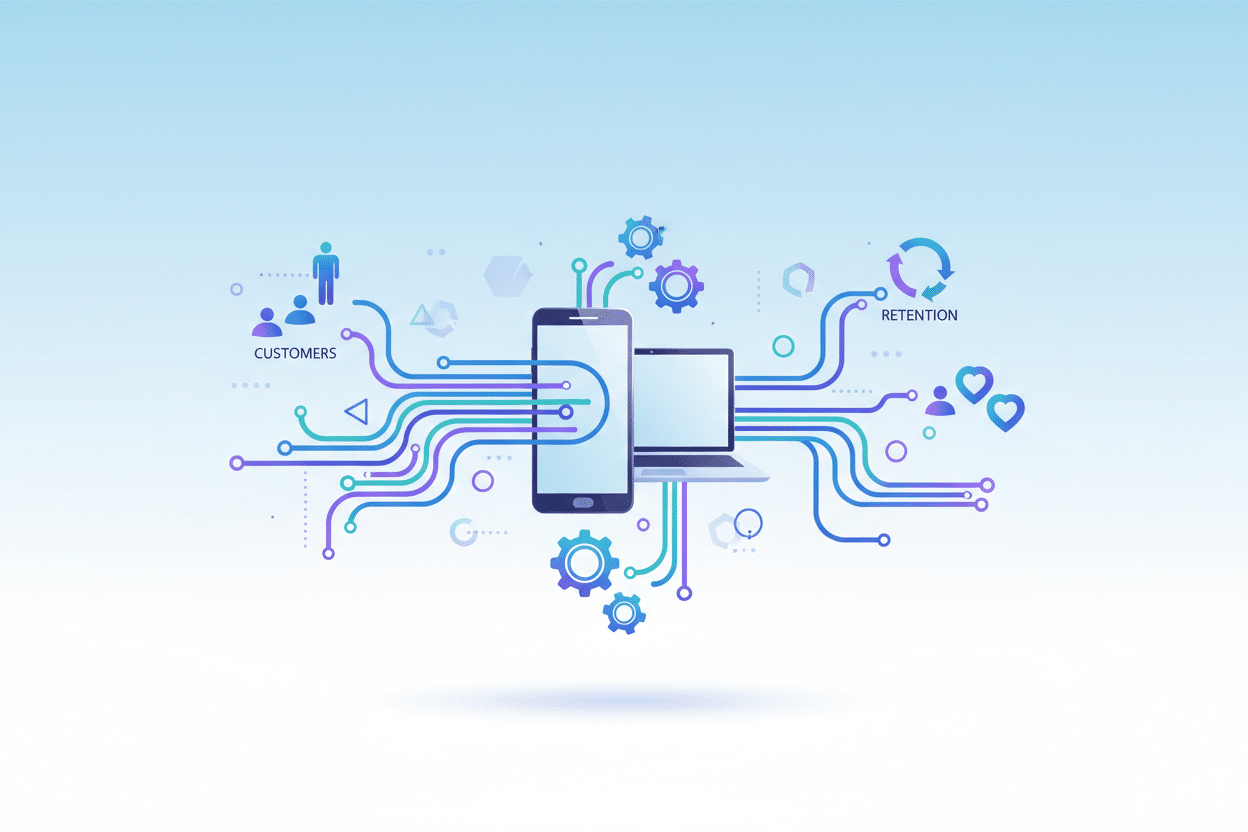
How to Use No-Code Automation for Streamlined Customer Retention: Your Complete Guide to Building Lasting Relationships
Table of Contents
🔹 Introduction: Why Customer Retention Matters More Than Ever
🔹 Understanding No-Code Automation for Customer Success
🔹 Essential No-Code Tools for Customer Retention
🔹 Building Your First Automated Customer Retention Workflow
🔹 Advanced No-Code Automation Strategies
🔹 Measuring Success: KPIs That Actually Matter
🔹 Common Mistakes to Avoid
🔹 Real-World Success Stories
🔹 Conclusion: Your Next Steps
🔹 Frequently Asked Questions
Introduction: Why Customer Retention Matters More Than Ever 💡
Let’s be honest – acquiring new customers is expensive. Really expensive. Studies show it costs five to seven times more to attract a new customer than to keep an existing one. Yet, many businesses still pour most of their resources into acquisition while their current customers slip through the cracks like sand through fingers.

Here’s where no-code automation becomes your secret weapon. Imagine having a tireless assistant who never sleeps, never forgets to follow up, and always knows exactly what each customer needs. That’s the power of automated customer retention workflows – and the best part? You don’t need to write a single line of code to make it happen.
In this comprehensive guide, I’ll walk you through everything you need to know about using no-code automation to transform your customer retention strategy. From setting up your first automated email sequence to creating sophisticated behavioral triggers, we’ll cover it all in plain English.
Understanding No-Code Automation for Customer Success 🚀
Before we dive into the how-to, let’s clarify what we’re talking about. No-code automation refers to creating automated workflows using visual, drag-and-drop interfaces instead of traditional programming. Think of it as building with digital Lego blocks – each piece has a specific function, and you connect them to create something powerful.
For customer retention, this means automatically triggering personalized actions based on customer behavior, preferences, or lifecycle stage. When someone hasn’t logged into your app for 30 days, your automation can send a personalized re-engagement email. When a customer completes their first purchase, another workflow can initiate an onboarding sequence.
The beauty lies in the “set it and forget it” nature. Once you’ve built these workflows, they run 24/7, nurturing your customers even while you sleep. It’s like having a customer success team that scales infinitely without the overhead costs.
Essential No-Code Tools for Customer Retention 🛠️
The no-code landscape has exploded in recent years, offering powerful tools that rival enterprise-level solutions. Here are the game-changers I recommend for customer retention automation:
Zapier remains the Swiss Army knife of automation. It connects over 5,000 apps and services, making it perfect for creating cross-platform workflows. Want to automatically add high-value customers to a special VIP segment in your email marketing tool? Zapier makes it happen with a few clicks.
HubSpot offers robust automation features even in its free tier. Their workflow builder is intuitive, and the CRM integration means you can trigger actions based on detailed customer data. I’ve seen businesses increase retention rates by 40% using HubSpot’s automated nurture sequences alone.
Mailchimp has evolved beyond email marketing into a comprehensive automation platform. Their Customer Journey Builder lets you create sophisticated retention campaigns that adapt based on customer behavior. The visual interface makes it easy to see exactly how your customers flow through your retention funnel.
Notion might surprise you here, but its database and automation features make it excellent for customer success tracking. You can create automated workflows that update customer health scores, trigger follow-up tasks, or even generate renewal reminders.
Building Your First Automated Customer Retention Workflow 📈
Let’s get practical. I’ll walk you through creating a simple but effective retention workflow that you can implement today. We’ll build a “win-back” campaign for customers who haven’t engaged with your product recently.
Step 1: Define Your Trigger
Start by identifying what constitutes an “at-risk” customer. This might be someone who hasn’t logged in for 14 days, hasn’t made a purchase in 60 days, or hasn’t opened your emails in a month. Be specific – vague triggers lead to ineffective automation.
Step 2: Create Your Customer Segments
Not all inactive customers are the same. A high-value customer who hasn’t engaged deserves different treatment than someone who made one small purchase six months ago. Segment your audience based on factors like lifetime value, purchase frequency, or engagement history.
Step 3: Design Your Re-engagement Sequence
Here’s where the magic happens. Create a series of touchpoints that gradually increase in urgency and value. Start with a gentle “We miss you” email, followed by exclusive offers, helpful content, and finally, a feedback request. Space these out over 2-3 weeks to avoid overwhelming your customers.
Step 4: Add Conditional Logic
This is where no-code tools shine. Set up conditions that adapt your workflow based on customer responses. If someone opens your first email but doesn’t click, they might need different messaging than someone who ignores all communications.
Step 5: Test and Optimize
Launch your workflow with a small segment first. Monitor open rates, click-through rates, and most importantly, reactivation rates. A/B test different subject lines, send times, and offer types to optimize performance.
Advanced No-Code Automation Strategies 🎯
Once you’ve mastered basic workflows, it’s time to level up. These advanced strategies can dramatically improve your retention rates:
Behavioral Trigger Automation
Move beyond simple time-based triggers to behavior-based ones. Create workflows that respond to specific actions – or lack thereof. When a customer views your pricing page multiple times but doesn’t upgrade, trigger a personalized demo invitation. When someone downloads a resource, automatically enroll them in a related email series.
Dynamic Content Personalization
Use customer data to personalize every touchpoint. Tools like HubSpot and Mailchimp allow you to insert personalized product recommendations, location-specific offers, or content based on past behavior. The more relevant your communications, the higher your retention rates.
Cross-Channel Orchestration
Don’t limit yourself to email. Create workflows that span multiple channels – email, SMS, in-app notifications, even direct mail. A customer might ignore emails but respond to a well-timed push notification or text message.
Predictive Retention Modeling
Some no-code platforms now offer AI-powered features that predict which customers are likely to churn. Use these insights to proactively reach out to at-risk customers before they decide to leave.
Measuring Success: KPIs That Actually Matter 📊
Building automation is only half the battle – measuring its effectiveness is equally crucial. Here are the key metrics I track for retention automation:
Customer Lifetime Value (CLV) should increase as your retention improves. Track this metric before and after implementing automation to measure true impact.
Churn Rate is the obvious one, but look at it by segment. Your automation might be incredibly effective for one customer type but miss the mark for another.
Engagement Rates across your automated touchpoints tell you which messages resonate. Low open rates might indicate poor subject lines, while low click rates suggest content misalignment.
Reactivation Success Rate measures how many inactive customers you successfully bring back. This is where you’ll see the most dramatic improvements from good automation.
Time to Value tracks how quickly new customers reach their “aha moment.” Automated onboarding can significantly reduce this metric.
Common Mistakes to Avoid ⚠️
I’ve seen businesses make the same automation mistakes repeatedly. Here’s how to avoid them:
Over-automation is real. Just because you can automate something doesn’t mean you should. Customers still crave human connection, especially for complex issues or high-value interactions.
Generic messaging defeats the purpose of automation. If your automated emails feel like they could be sent to anyone, you’re doing it wrong. Use the data you have to make every message feel personal.
Ignoring mobile optimization is a cardinal sin. Over 60% of emails are opened on mobile devices, yet many automated campaigns aren’t optimized for small screens.
Setting and forgetting without monitoring performance. Automation isn’t a “set it and forget it” solution – it requires ongoing optimization and adjustment.
Real-World Success Stories 🌟
Let me share a couple of success stories that illustrate the power of no-code retention automation:
A SaaS company I worked with was struggling with trial-to-paid conversion. They implemented a behavioral automation workflow that triggered different email sequences based on feature usage during the trial. Customers who used advanced features received case studies and ROI calculators, while those who only used basic features got tutorial content and use case examples. The result? A 65% increase in trial-to-paid conversion rates.
An e-commerce business used purchase behavior to create automated retention campaigns. Customers who bought seasonal items received reminders before the next season, while those who purchased consumables got reorder reminders based on typical usage patterns. This simple automation increased repeat purchase rates by 43% and average order value by 28%.
Conclusion: Your Next Steps to Automation Success 🎉
Customer retention automation isn’t just a nice-to-have anymore – it’s essential for sustainable business growth. The tools and strategies I’ve outlined in this guide can help you build stronger customer relationships while freeing up your team to focus on high-value activities.
Start small. Pick one retention challenge you’re facing and build a simple automation workflow to address it. Maybe it’s re-engaging inactive subscribers or improving onboarding completion rates. Once you see the results, you’ll be motivated to expand your automation efforts.
Remember, the best automation feels human. Use technology to scale your care and attention, not to replace it. Your customers should feel more valued and understood, not like they’re talking to a robot.
The no-code revolution has democratized powerful automation capabilities. You don’t need a technical background or a massive budget to implement enterprise-level retention strategies. You just need to start.
Frequently Asked Questions ❓
Q: How much does no-code automation cost?
A: Costs vary widely depending on your needs. Many platforms offer free tiers that are perfect for getting started. Zapier’s free plan includes 100 tasks per month, while HubSpot’s free CRM includes basic automation features. As you scale, expect to pay $20-200+ per month depending on the platform and usage volume.
Q: How long does it take to see results from retention automation?
A: You can see initial results within weeks, but meaningful impact typically takes 2-3 months. Customer behavior changes gradually, and you need time to optimize your workflows based on performance data. Be patient and focus on continuous improvement.
Q: Can I use multiple no-code tools together?
A: Absolutely! In fact, I recommend it. Use Zapier to connect different tools, HubSpot for CRM and email automation, and specialized tools for specific functions. The key is ensuring your tools integrate well together to avoid data silos.
Q: What’s the biggest mistake businesses make with retention automation?
A: Focusing too much on the technology and not enough on the customer experience. Great automation should feel personal and helpful, not robotic and pushy. Always design your workflows from the customer’s perspective, not just your business goals.
Q: How do I know if my automation is working?
A: Track the right metrics consistently. Focus on retention rate, customer lifetime value, and engagement metrics specific to your automated touchpoints. Set up regular reporting so you can spot trends and make data-driven optimizations.
Click Here For More Details
 Restream.io 1 Month Pro Plan – Private Activation on Your Email
  ByteUptime Pro 1 Year Plan – Best Uptime Monitoring Service 2026
