
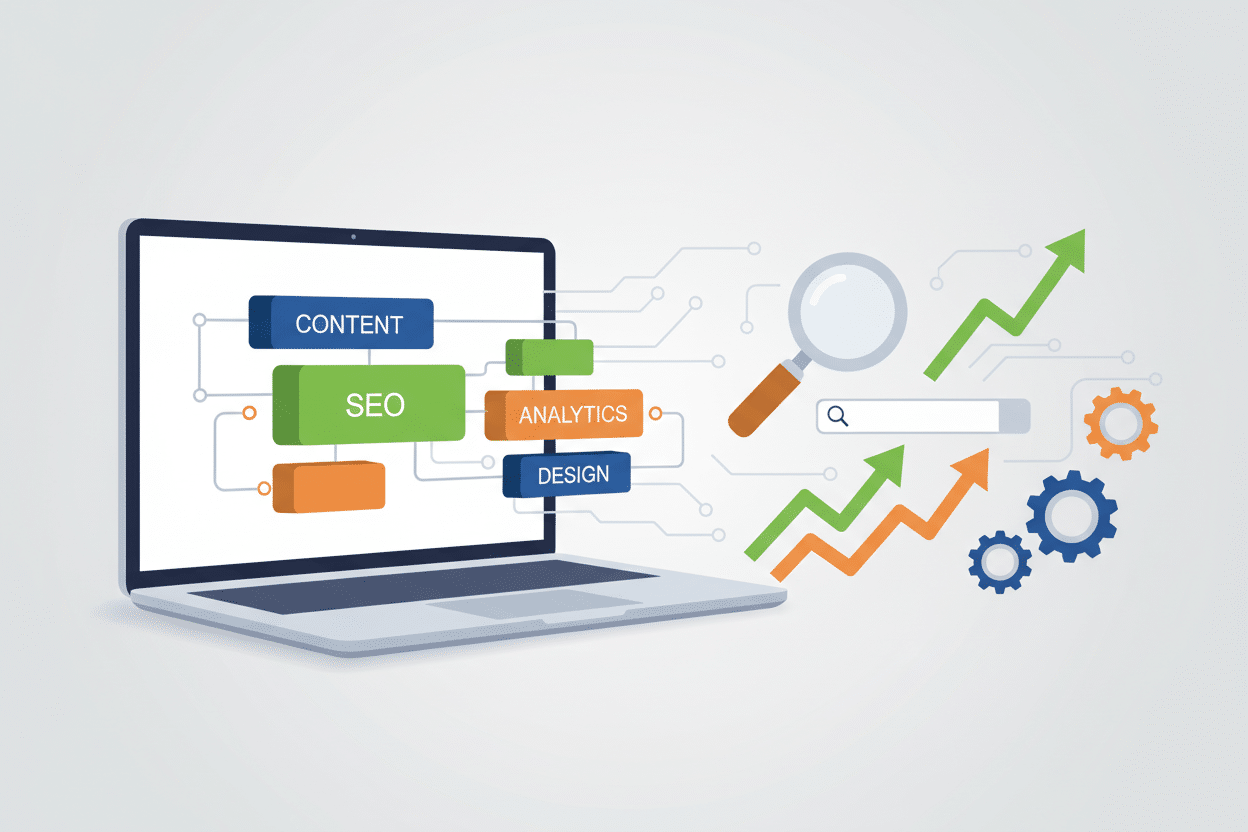
How to Use No-Code Tools to Enhance Your SEO Strategy 🚀
Gone are the days when you needed to be a coding wizard to implement effective SEO strategies. Today’s digital landscape has opened up incredible opportunities for marketers, small business owners, and entrepreneurs to leverage powerful no-code tools that can significantly boost their search engine rankings without writing a single line of code.
I’ve been working in digital marketing for over a decade, and I can honestly say that the emergence of no-code SEO tools has been a game-changer. These platforms have democratized SEO, making it accessible to anyone willing to learn and apply best practices. Whether you’re running a local bakery or managing a growing e-commerce store, no-code tools can help you compete with larger organizations that have dedicated development teams.
In this comprehensive guide, we’ll explore how you can harness the power of no-code tools to create a robust SEO strategy that drives organic traffic, improves your search rankings, and ultimately grows your business. Let’s dive in! 💪
Table of Contents
• Understanding No-Code SEO Tools
• Website Building and Optimization Platforms
• Content Creation and Management Solutions
• Technical SEO Automation Tools
• Analytics and Monitoring Platforms
• Link Building and Outreach Automation
• Local SEO Enhancement Tools
• Common Mistakes to Avoid
• Measuring Success and ROI
• Future of No-Code SEO
Understanding No-Code SEO Tools and Their Impact 🎯
No-code SEO tools represent a fundamental shift in how we approach search engine optimization. These platforms use intuitive drag-and-drop interfaces, pre-built templates, and automated workflows to help you implement complex SEO strategies without technical expertise.
The beauty of no-code tools lies in their accessibility. I remember spending countless hours trying to implement schema markup manually, only to discover that tools like Schema Pro could do the same job in minutes. This efficiency allows you to focus on strategy and content quality rather than getting bogged down in technical implementation.
These tools typically fall into several categories: website builders with built-in SEO features, content optimization platforms, technical SEO automation tools, and analytics dashboards. Each serves a specific purpose in your overall SEO ecosystem, and when used together, they create a powerful foundation for organic growth.
Website Building and Optimization Platforms 🏗️
Modern website builders have revolutionized how we approach SEO-friendly site creation. Platforms like Webflow, Squarespace, and WordPress with page builders offer sophisticated SEO capabilities that would have required custom development just a few years ago.
Webflow, for instance, automatically generates clean HTML code, allows for custom meta descriptions and title tags, and provides built-in tools for optimizing images and implementing structured data. I’ve seen clients achieve remarkable results simply by migrating from outdated platforms to these modern builders.
When selecting a website builder for SEO purposes, look for features like automatic sitemap generation, mobile responsiveness, fast loading speeds, and the ability to customize URLs. These platforms often include built-in SEO auditing tools that identify issues and provide actionable recommendations for improvement.
The key is choosing a platform that grows with your needs. While drag-and-drop builders are excellent for getting started, ensure your chosen platform can handle advanced SEO requirements as your business scales.
Content Creation and Management Solutions ✍️
Content remains king in the SEO world, and no-code tools have made high-quality content creation more accessible than ever. Platforms like Surfer SEO, Clearscope, and MarketMuse use artificial intelligence to analyze top-ranking content and provide data-driven recommendations for your own pieces.
I particularly love using Surfer SEO for content optimization. The platform analyzes the top 20 results for your target keyword and provides specific recommendations about word count, keyword density, and related terms to include. It’s like having an SEO expert looking over your shoulder as you write.
Content management tools like Notion and Airtable can help you organize your content calendar, track keyword performance, and collaborate with team members. These platforms allow you to create sophisticated content workflows without any coding knowledge.
Don’t overlook tools like Grammarly and Hemingway Editor for improving content quality. Search engines increasingly prioritize well-written, engaging content, and these tools help ensure your writing meets those standards.
Technical SEO Automation Tools 🔧
Technical SEO used to be the exclusive domain of developers, but no-code tools have changed that landscape dramatically. Platforms like Screaming Frog, Sitebulb, and DeepCrawl can identify technical issues that might be hurting your search rankings.
Schema markup, once a complex coding task, can now be implemented using tools like Schema Pro or Google’s Structured Data Markup Helper. These tools generate the necessary code automatically, which you can then add to your website without any programming knowledge.
Site speed optimization has become crucial for SEO success. Tools like GTmetrix and PageSpeed Insights not only identify performance issues but also provide specific recommendations for improvement. Many of these recommendations can be implemented using no-code solutions or simple plugin installations.
For WordPress users, plugins like RankMath and Yoast SEO automate many technical SEO tasks, including XML sitemap generation, robots.txt optimization, and canonical URL management. These tools essentially give you a technical SEO expert built into your website.
Analytics and Monitoring Platforms 📊
Understanding your SEO performance is crucial for making informed decisions, and no-code analytics tools make this process much more manageable. Google Analytics 4 and Google Search Console remain essential free tools, but platforms like SEMrush, Ahrefs, and Moz offer more sophisticated analysis capabilities.
I’ve found that tools like DataBox and Google Data Studio excel at creating custom dashboards that combine data from multiple sources. You can track keyword rankings, organic traffic, conversion rates, and other key metrics in one centralized location.
Automated reporting tools can save hours of manual work each month. Platforms like AgencyAnalytics and Whatagraph allow you to set up automated reports that are sent to stakeholders regularly, keeping everyone informed about SEO progress without constant manual updates.
The key is setting up proper tracking from the beginning. Make sure you’re monitoring the right metrics and setting up goals that align with your business objectives. Remember, vanity metrics like total traffic are less important than qualified traffic that converts.
Link Building and Outreach Automation 🔗
Link building remains one of the most challenging aspects of SEO, but no-code tools have made the process more systematic and efficient. Platforms like Pitchbox, BuzzStream, and Ninja Outreach help automate much of the prospecting and outreach process.
These tools can identify potential link opportunities, find contact information, and even automate initial outreach emails. However, successful link building still requires a personal touch and genuine relationship building. Use these tools to handle the administrative tasks while focusing your energy on creating valuable content and building authentic connections.
HARO (Help a Reporter Out) and similar platforms connect you with journalists looking for expert sources. Tools like Connectively (formerly HARO) and SourceBottle can help you identify relevant opportunities and track your submissions.
Don’t forget about internal linking opportunities. Tools like Link Whisper can analyze your content and suggest internal linking opportunities, helping you distribute page authority throughout your site more effectively.
Local SEO Enhancement Tools 📍
For businesses with physical locations or local service areas, local SEO tools are essential. Platforms like BrightLocal, Whitespark, and Moz Local help manage your online presence across multiple directories and review platforms.
Google My Business optimization is crucial for local SEO success. Tools like GMB Everywhere and LocalClarity can help you monitor your local rankings and identify opportunities for improvement. Regular posting, review management, and accurate business information are all critical factors.
Review management tools like Podium and Birdeye can automate the process of requesting and responding to customer reviews. Positive reviews not only improve your local search rankings but also increase customer trust and conversion rates.
Citation building, once a tedious manual process, can now be partially automated using tools like Yext and Synup. These platforms ensure your business information is consistent across hundreds of online directories.
Common Mistakes to Avoid When Using No-Code SEO Tools ⚠️
While no-code tools are incredibly powerful, there are several common mistakes that can undermine your SEO efforts. The biggest mistake I see is over-relying on automation without understanding the underlying principles of SEO.
Tool overload is another common problem. It’s tempting to sign up for every new SEO tool that promises amazing results, but this often leads to analysis paralysis and conflicting data. Focus on a core set of tools that work well together and provide actionable insights.
Many people also make the mistake of ignoring the human element of SEO. While tools can automate many tasks, successful SEO still requires creativity, strategic thinking, and genuine relationship building. Use tools to enhance your efforts, not replace human judgment.
Finally, don’t forget to regularly audit your tool usage and ROI. Some tools may become redundant as your strategy evolves, while others may need to be upgraded or replaced as your business grows.
Measuring Success and ROI from No-Code SEO Tools 📈
Measuring the return on investment from your SEO tools is crucial for justifying expenses and optimizing your strategy. Start by establishing clear baseline metrics before implementing new tools, then track improvements over time.
Key metrics to monitor include organic traffic growth, keyword ranking improvements, conversion rate increases, and time savings from automation. Many tools provide built-in ROI calculators that help quantify their value to your business.
Don’t forget to factor in time savings when calculating ROI. If a tool saves you 10 hours per month of manual work, that time can be redirected to higher-value activities like content creation or strategy development.
Regular performance reviews help ensure your tool stack remains optimized. What works for your business today may not be the best solution six months from now as your needs evolve and new tools enter the market.
The Future of No-Code SEO Tools 🔮
The no-code SEO landscape continues to evolve rapidly, with artificial intelligence and machine learning playing increasingly important roles. We’re seeing tools that can automatically optimize content, predict ranking opportunities, and even generate SEO-friendly copy.
Voice search optimization, mobile-first indexing, and Core Web Vitals are driving the development of new tools and features. Staying informed about these trends helps you choose tools that will remain relevant as search algorithms evolve.
The integration between different tools is also improving, creating more seamless workflows and reducing the need to manually transfer data between platforms. This trend toward interconnected tool ecosystems will likely continue.
Frequently Asked Questions 🤔
Q: Do no-code SEO tools really work as well as custom development?
A: For most businesses, no-code tools provide 80-90% of the functionality you’d get from custom development at a fraction of the cost and complexity. They’re particularly effective for small to medium-sized businesses.
Q: How much should I budget for no-code SEO tools?
A: Budget allocation varies by business size, but most small businesses can achieve excellent results with $200-500 per month in tool costs. Larger organizations might invest $1,000-3,000 monthly.
Q: Can I use multiple no-code tools together?
A: Absolutely! The best SEO strategies often involve combining multiple tools. Just ensure they integrate well together and don’t create conflicting recommendations.
Q: How long does it take to see results from no-code SEO tools?
A: While some improvements (like site speed) can show immediate results, most SEO changes take 3-6 months to significantly impact rankings. Consistency and patience are key.
Q: Are free no-code SEO tools worth using?
A: Many free tools like Google Analytics, Search Console, and Google My Business are essential components of any SEO strategy. However, paid tools often provide more detailed insights and automation capabilities.
Conclusion: Embracing the No-Code SEO Revolution 🎉
The democratization of SEO through no-code tools represents one of the most significant developments in digital marketing over the past decade. These platforms have removed traditional barriers to entry, allowing businesses of all sizes to implement sophisticated SEO strategies without requiring technical expertise or large development budgets.
Success with no-code SEO tools requires more than just signing up for the latest platform. It demands a strategic approach, understanding of SEO fundamentals, and commitment to continuous learning and optimization. The tools are incredibly powerful, but they’re most effective when wielded by someone who understands the broader context of search engine optimization.
As we look toward the future, the line between no-code tools and traditional development will continue to blur. Artificial intelligence and machine learning will make these tools even more powerful and accessible, opening up new possibilities for businesses to compete in the digital landscape.
Remember, the best SEO strategy is one that combines the efficiency of no-code tools with human creativity, strategic thinking, and genuine value creation. Use these tools to amplify your efforts, automate routine tasks, and gain insights that inform your decision-making. With the right approach, no-code SEO tools can be the catalyst that transforms your online presence and drives sustainable business growth.
Start small, focus on tools that address your most pressing needs, and gradually build your no-code SEO toolkit as you gain experience and see results. The future of SEO is here, and it’s more accessible than ever before! 🌟
Click Here For More Details

 Restream.io 1 Month Pro Plan – Private Activation on Your Email
  Pinflux Elite 1 Year Plan – Full Pinterest Marketing Automation (Private Access)
