The Benefits of No-Code Automation for Streamlining Meeting Management 🚀
Table of Contents
1. Introduction to No-Code Meeting Automation
2. Understanding No-Code Automation Platforms
3. Key Benefits of Automated Meeting Management
4. Essential Meeting Processes You Can Automate
5. Popular No-Code Tools for Meeting Automation
6. Getting Started with Meeting Automation
7. Overcoming Common Implementation Challenges
8. Measuring Success and ROI
9. Frequently Asked Questions
10. Conclusion
Introduction to No-Code Meeting Automation
Let’s be honest – we’ve all been there. You’re juggling multiple calendars, sending endless email chains to find a meeting time that works for everyone, and somehow still ending up with double-booked slots or forgotten follow-ups. If this sounds familiar, you’re not alone in the meeting management struggle that plagues professionals worldwide.
The average knowledge worker spends approximately 23 hours per week in meetings, yet much of the administrative overhead surrounding these meetings remains frustratingly manual. Enter no-code automation – a game-changing approach that’s revolutionizing how we handle meeting logistics without requiring a computer science degree or a hefty IT budget.
No-code automation platforms have emerged as powerful allies in the battle against meeting chaos, offering intuitive drag-and-drop interfaces that allow anyone to create sophisticated workflows. These tools are transforming meeting management from a time-consuming administrative burden into a streamlined, efficient process that actually adds value to your workday.
Understanding No-Code Automation Platforms
Before diving into the specific benefits, it’s crucial to understand what no-code automation actually means. Simply put, no-code platforms allow users to create automated workflows and applications without writing traditional programming code. Instead, they use visual interfaces, pre-built templates, and logical building blocks that anyone can understand and manipulate.
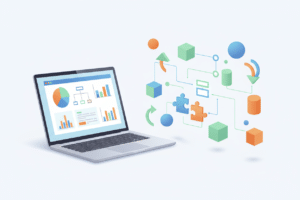
Think of no-code automation like building with digital Lego blocks. Each block represents a specific action or trigger – sending an email, updating a calendar, creating a document, or notifying team members. You connect these blocks in logical sequences to create powerful automated workflows that handle repetitive tasks automatically.
For meeting management specifically, these platforms can connect various tools in your tech stack – your calendar application, email client, project management software, video conferencing platform, and communication tools – creating seamless workflows that eliminate manual intervention at every step of the meeting lifecycle.
Key Benefits of Automated Meeting Management
Dramatic Time Savings and Increased Productivity ⏰
The most immediate and tangible benefit of no-code meeting automation is the significant time savings it provides. Consider the typical meeting setup process: checking availability across multiple calendars, sending invitation emails, coordinating with external participants, booking conference rooms, setting up video links, and preparing agenda documents. This process can easily consume 15-30 minutes per meeting.
With automation in place, these tasks happen instantaneously. A well-designed workflow can handle scheduling, send personalized invitations with all necessary details, book resources, and even prepare preliminary agenda items based on meeting type or participants. What once took half an hour now happens in seconds, freeing up valuable time for actual productive work.
I’ve personally witnessed teams reduce their meeting administration time by up to 75% after implementing comprehensive automation workflows. This isn’t just about saving a few minutes here and there – it’s about reclaiming hours each week that can be redirected toward strategic initiatives and meaningful work.
Enhanced Consistency and Reduced Human Error
Human error is an inevitable part of manual processes, especially when dealing with repetitive tasks under time pressure. Forgotten meeting links, incorrect time zones, missing agenda items, or overlooked stakeholder invitations can derail important discussions and damage professional relationships.
Automated workflows eliminate these inconsistencies by following the same precise steps every time. Once you’ve defined your ideal meeting setup process, the automation ensures it’s executed flawlessly for every single meeting. This consistency extends beyond just logistics – automated systems can enforce company standards for meeting documentation, follow-up procedures, and communication protocols.
The psychological benefit shouldn’t be underestimated either. Knowing that your meeting logistics are handled reliably reduces stress and allows you to focus on preparing quality content and facilitating productive discussions rather than worrying about administrative details.
Improved Communication and Stakeholder Experience
Professional, timely communication is crucial for successful meetings, yet it’s often the first casualty of busy schedules. Automated workflows can transform your meeting communications from rushed afterthoughts into polished, informative touchpoints that enhance your professional image.
Automated systems can send personalized meeting invitations that include not just the basic details, but also relevant background information, pre-meeting preparation materials, agenda items, and clear expectations for participation. Follow-up communications can be equally sophisticated, automatically distributing meeting summaries, action items, and next steps to relevant stakeholders.
This level of communication professionalism is particularly valuable when dealing with external clients, partners, or senior executives. The consistent, detailed communication creates an impression of organization and attention to detail that reflects positively on your entire team.
Essential Meeting Processes You Can Automate
Intelligent Scheduling and Calendar Management
Smart scheduling automation goes far beyond simple calendar blocking. Modern no-code platforms can analyze participant availability across different time zones, consider individual preferences and constraints, and even factor in travel time between physical locations. These systems can automatically propose optimal meeting times and handle the back-and-forth negotiations that typically consume significant time.
Advanced scheduling automation can also implement intelligent rules, such as avoiding back-to-back meetings, respecting focus time blocks, or ensuring adequate preparation time before important presentations. Some workflows can even analyze historical meeting data to suggest optimal meeting durations based on agenda complexity and participant count.
Resource Booking and Technical Setup
Conference room booking, equipment reservations, and technical setup coordination are perfect candidates for automation. Workflows can automatically check resource availability, make reservations, send setup instructions to facilities teams, and even generate QR codes for easy room access.
For virtual meetings, automation can create unique video conference links, set up breakout rooms based on participant lists, configure recording settings, and ensure all necessary technical details are communicated to participants well in advance.
Document Preparation and Distribution
Meeting-related document management becomes seamless with automation. Workflows can automatically generate agenda templates based on meeting type, populate them with relevant information from previous meetings or project management tools, and distribute them to participants with appropriate permissions.
Post-meeting documentation can be equally automated, with systems that create meeting summary templates, distribute action items to responsible parties, and update project tracking systems with decisions and outcomes.
Popular No-Code Tools for Meeting Automation
The no-code automation landscape offers numerous platforms, each with unique strengths for meeting management. Zapier remains one of the most popular choices, offering extensive integrations with virtually every business application you might use. Its intuitive interface makes it easy to create complex workflows that connect your calendar, email, project management tools, and communication platforms.
Microsoft Power Automate provides excellent integration within the Microsoft ecosystem, making it ideal for organizations heavily invested in Office 365, Teams, and SharePoint. The platform excels at creating sophisticated approval workflows and document management processes that complement meeting activities.
Calendly and similar scheduling platforms have evolved beyond simple booking tools to offer comprehensive automation capabilities. These platforms can handle complex scheduling scenarios, integrate with CRM systems, and trigger follow-up workflows automatically.
For teams using Google Workspace, Google Apps Script provides powerful automation capabilities that can create custom solutions tailored to specific meeting management needs. While requiring slightly more technical knowledge than pure no-code solutions, it offers unparalleled flexibility for Google-centric workflows.
Getting Started with Meeting Automation
Assessing Your Current Meeting Processes
Before implementing automation, take time to carefully analyze your existing meeting management processes. Document each step from initial scheduling through post-meeting follow-up, noting pain points, time-consuming tasks, and areas where errors commonly occur. This assessment will help you prioritize which processes to automate first and ensure you’re addressing real problems rather than automating for automation’s sake.
Consider conducting a brief survey among team members to understand their biggest meeting-related frustrations. Often, the most impactful automation opportunities aren’t the most obvious ones, and input from actual users can reveal surprising insights about where automation would provide the most value.
Starting Small and Scaling Gradually
The temptation to automate everything at once is understandable but often counterproductive. Instead, start with one or two simple workflows that address your most pressing pain points. A basic automated meeting invitation workflow or simple follow-up email sequence can provide immediate value while helping your team become comfortable with the automation concept.
As your team gains confidence and experience, gradually expand the automation to cover more complex scenarios. This incremental approach allows you to refine your processes, learn from early implementations, and build organizational buy-in through demonstrated success.
Overcoming Common Implementation Challenges
Resistance to change is perhaps the most common challenge when implementing meeting automation. Some team members may worry about losing control over their schedules or feel uncomfortable with automated communications. Address these concerns through clear communication about how automation enhances rather than replaces human judgment.
Provide comprehensive training and support during the transition period. Create simple documentation that explains how the automated workflows function and what team members can expect. Consider designating automation champions within your team who can provide peer-to-peer support and encourage adoption.
Technical integration challenges can also arise, particularly in organizations with complex or legacy systems. Start with the most straightforward integrations and gradually work toward more complex connections. Don’t hesitate to leverage the extensive documentation and community support available for popular no-code platforms.
Measuring Success and ROI
Establishing clear metrics for measuring automation success is crucial for demonstrating value and identifying areas for improvement. Time savings are the most obvious metric – track how much time your team spends on meeting administration before and after implementing automation.
Quality metrics are equally important. Monitor meeting preparation quality, participant satisfaction, follow-up completion rates, and overall meeting effectiveness. Many teams find that automation not only saves time but also improves meeting quality by ensuring consistent preparation and follow-through.
Consider conducting periodic reviews to assess the ongoing effectiveness of your automated workflows. As your organization evolves, your automation needs may change, and regular evaluation ensures your systems continue to provide optimal value.
Frequently Asked Questions
How much technical knowledge do I need to implement no-code meeting automation?
No-code platforms are specifically designed for users without programming backgrounds. If you’re comfortable using standard business applications like email and calendars, you have sufficient technical knowledge to implement basic automation workflows. Most platforms offer extensive tutorials, templates, and support resources to help you get started. The learning curve is typically measured in hours or days, not weeks or months.
Will automation make my meeting communications feel impersonal?
Well-designed automation actually enhances personalization rather than diminishing it. Modern no-code platforms allow you to create highly personalized communications using participant data, meeting context, and individual preferences. The key is designing your workflows thoughtfully, incorporating personal touches and maintaining your authentic communication style within the automated framework.
What happens if the automation breaks or encounters an error?
Reputable no-code platforms include robust error handling and notification systems. When issues occur, you’ll typically receive immediate alerts explaining what went wrong and how to resolve it. Most platforms also include rollback capabilities and manual override options, ensuring you’re never completely dependent on automation. It’s good practice to maintain backup manual processes for critical meetings while your automation matures.
How do I handle automation for meetings with external participants who aren’t part of my system?
External participant management is a common automation scenario. Most workflows can accommodate external attendees through email-based communications and public scheduling links. You can create different automation paths for internal versus external participants, ensuring everyone receives appropriate information while maintaining security and privacy requirements.
Can automation handle complex scheduling scenarios like multi-time zone coordination?
Yes, modern automation platforms excel at complex scheduling scenarios. They can automatically detect participant time zones, propose optimal meeting times, and send appropriately localized invitations. Some platforms even consider factors like business hours, cultural holidays, and individual preferences when suggesting meeting times. The more complex your scheduling needs, the more valuable automation becomes.
Conclusion
The transformation of meeting management through no-code automation represents more than just a technological upgrade – it’s a fundamental shift toward more strategic, efficient, and human-centered work practices. By eliminating the administrative overhead that traditionally consumes so much of our professional time, automation allows us to focus on what truly matters: meaningful collaboration, creative problem-solving, and relationship building.
The benefits extend far beyond simple time savings, though those alone justify the investment. Improved consistency, enhanced communication quality, reduced stress, and increased professional polish all contribute to a better working experience for everyone involved. As no-code platforms continue to evolve and mature, the possibilities for meeting automation will only expand, offering even more sophisticated solutions for complex organizational needs.
The question isn’t whether your organization should implement meeting automation, but rather how quickly you can begin realizing these benefits. Start small, focus on your biggest pain points, and gradually expand your automation capabilities as your team becomes more comfortable with the technology. The time you invest in setting up these workflows will pay dividends in increased productivity, reduced stress, and more effective meetings for years to come.
Remember, the goal of automation isn’t to remove the human element from meetings – it’s to eliminate the mundane tasks that prevent us from bringing our best human qualities to our collaborative work. When the logistics are handled seamlessly in the background, we’re free to focus on the creativity, empathy, and strategic thinking that make meetings truly valuable. 💪
Click Here For More Details