
The Role of No-Code Automation in Enhancing User Onboarding: A Game-Changer for Modern Businesses 🚀
Table of Contents
• Introduction to No-Code Automation in User Onboarding
• Understanding the Traditional Onboarding Challenges
• What is No-Code Automation and How Does it Work?
• Key Benefits of No-Code Automation for User Onboarding
• Real-World Applications and Use Cases
• Popular No-Code Tools for Onboarding Automation
• Best Practices for Implementing No-Code Onboarding Solutions
• Common Pitfalls to Avoid
• The Future of No-Code Automation in User Experience
• Conclusion
• Frequently Asked Questions
Picture this: A new user signs up for your app at 2 AM on a Sunday. Within minutes, they receive a personalized welcome email, get automatically enrolled in a tailored tutorial sequence, and have their profile set up with smart defaults based on their industry. No developer worked overtime to make this happen – it was all powered by no-code automation. Welcome to the future of user onboarding! ✨
In today’s hyper-competitive digital landscape, first impressions aren’t just important – they’re everything. Research shows that 90% of users stop using an app due to poor performance, and a significant chunk of that stems from frustrating onboarding experiences. But here’s the exciting part: no-code automation is revolutionizing how businesses approach user onboarding, making it possible to create seamless, personalized experiences without writing a single line of code.
Understanding the Traditional Onboarding Challenges
Let’s be honest – traditional user onboarding has been a headache for years. I’ve seen countless startups struggle with the same issues: lengthy development cycles, rigid workflows that can’t adapt to different user types, and the constant need for developer intervention to make simple changes.
The old way of doing things typically involved developers hard-coding every step of the onboarding process. Want to change the welcome message? That’s a development ticket. Need to add a new step for enterprise users? Back to the development queue. This approach not only slowed down improvements but also made it nearly impossible for marketing and customer success teams to iterate quickly based on user feedback.
Moreover, traditional onboarding often followed a one-size-fits-all approach. A startup founder and a Fortune 500 executive would go through the exact same steps, despite having completely different needs and technical backgrounds. This lack of personalization led to higher drop-off rates and frustrated users who couldn’t see immediate value in the product.
What is No-Code Automation and How Does it Work?
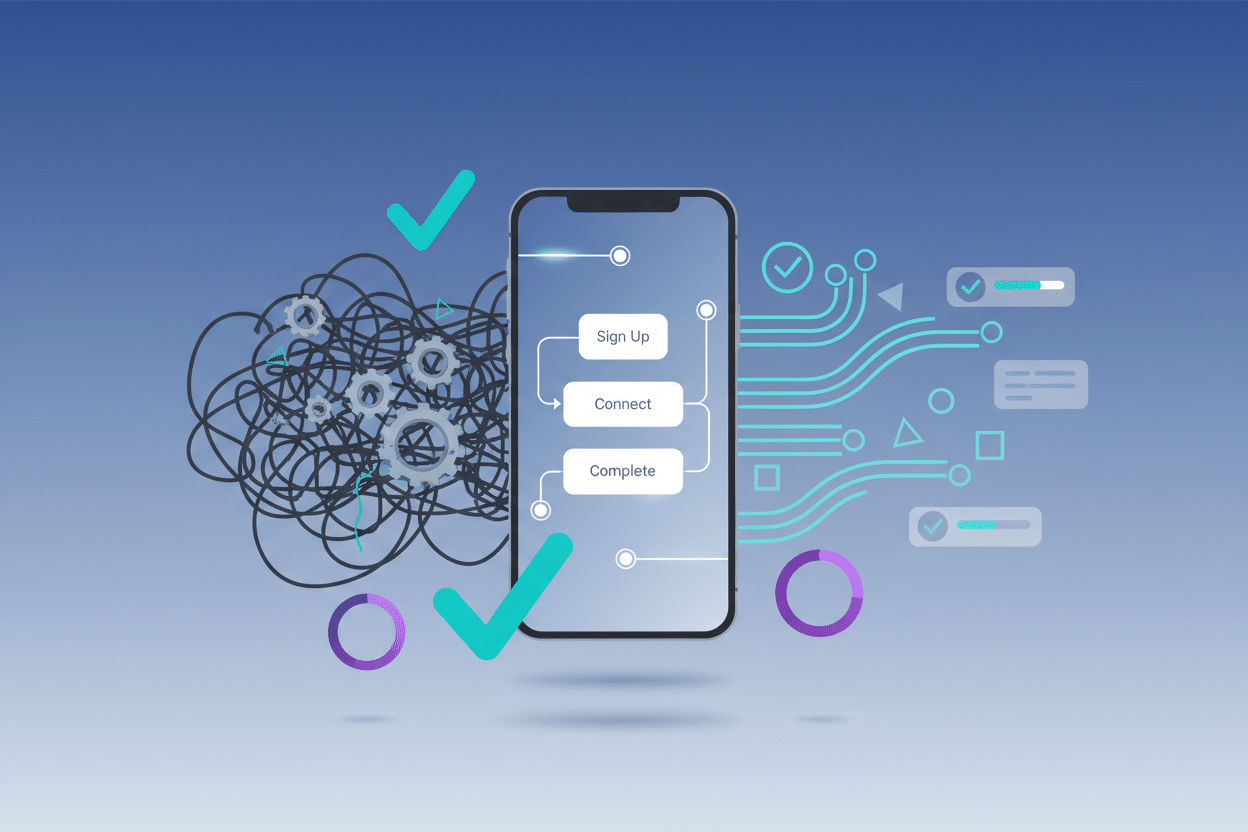
No-code automation is exactly what it sounds like – the ability to create automated workflows and processes without traditional programming. Think of it as digital LEGO blocks that you can snap together to build sophisticated systems. These platforms use visual interfaces, drag-and-drop functionality, and pre-built templates to make automation accessible to everyone, not just developers.
In the context of user onboarding, no-code automation allows you to create intelligent workflows that respond to user actions, trigger personalized communications, and guide users through tailored experiences. When a user signs up, the automation can instantly analyze their profile information, assign them to the appropriate user journey, send relevant welcome materials, and even schedule follow-up touchpoints.
The magic happens through triggers, conditions, and actions. A trigger might be “user completes signup,” a condition could be “user selected ‘small business’ as company size,” and the action would be “send small business onboarding sequence.” These workflows can become incredibly sophisticated, incorporating multiple decision points and personalization elements while remaining completely manageable by non-technical team members.
Key Benefits of No-Code Automation for User Onboarding
The benefits of implementing no-code automation in your onboarding process extend far beyond just saving development time. Let me walk you through the most impactful advantages I’ve observed across various organizations.
Speed and Agility: Perhaps the most obvious benefit is the dramatic reduction in time-to-implementation. What used to take weeks or months of development work can now be accomplished in hours or days. I’ve worked with teams that went from concept to live onboarding automation in a single afternoon. This speed enables rapid experimentation and iteration, which is crucial for optimizing user experiences.
Personalization at Scale: No-code platforms excel at creating dynamic, personalized experiences. You can easily segment users based on dozens of criteria – industry, company size, role, geographic location, or even behavioral patterns – and deliver tailored onboarding journeys for each segment. This level of personalization was previously only possible for companies with massive development resources.
Improved User Engagement: When onboarding feels relevant and valuable, users are more likely to stick around. Automated sequences can deliver just-in-time information, celebrate small wins, and provide contextual help exactly when users need it. The result? Higher activation rates, reduced time-to-value, and improved long-term retention.
Resource Efficiency: No-code automation frees up your development team to focus on core product features rather than onboarding infrastructure. Meanwhile, your marketing and customer success teams gain the autonomy to optimize user experiences without constantly requesting developer support.
Real-World Applications and Use Cases
Let me share some concrete examples of how businesses are leveraging no-code automation to transform their onboarding experiences. These aren’t theoretical scenarios – they’re real implementations that have delivered measurable results.
SaaS Product Onboarding: A project management software company used no-code automation to create role-specific onboarding flows. Project managers received tutorials focused on team coordination features, while individual contributors got guidance on task management and time tracking. The automation detected user roles during signup and automatically enrolled them in the appropriate sequence, resulting in a 40% increase in feature adoption during the first week.
E-commerce Platform Setup: An e-commerce platform implemented automated onboarding that guided new merchants through store setup based on their business type. Dropshippers received different guidance than traditional retailers, and the system automatically configured relevant payment gateways and shipping options based on their location. This reduced setup time by 60% and significantly decreased support tickets.
Educational Platform Orientation: An online learning platform created automated onboarding sequences that adapted to learners’ experience levels and learning goals. Beginners received more foundational content and encouragement, while advanced users were fast-tracked to relevant courses. The personalized approach led to a 35% improvement in course completion rates.
B2B Sales Tool Implementation: A CRM company used no-code automation to create different onboarding paths for various team sizes. Small teams got a simplified setup process, while enterprise clients received comprehensive training sequences with dedicated check-ins. The automation also triggered alerts to customer success managers when high-value prospects showed signs of struggle, enabling proactive intervention.
Popular No-Code Tools for Onboarding Automation
The no-code automation landscape is rich with powerful tools, each offering unique strengths for different aspects of user onboarding. Here are some of the most effective platforms I’ve seen in action:
Zapier remains the go-to choice for connecting different apps and creating simple automation workflows. It’s particularly useful for triggering onboarding sequences across multiple platforms – like adding new users to your email marketing tool, creating customer records in your CRM, and sending welcome messages via Slack.
Intercom and similar customer messaging platforms excel at creating sophisticated, behavior-triggered onboarding sequences. They can send targeted messages based on user actions (or inactions), guide users through feature discovery, and provide contextual help at just the right moment.
Airtable and Notion have emerged as powerful platforms for creating custom onboarding databases and workflows. While they’re primarily known as productivity tools, their automation capabilities make them excellent for managing complex onboarding processes with multiple stakeholders and approval steps.
Bubble and Webflow offer more advanced capabilities for teams that need custom onboarding interfaces without traditional coding. These platforms allow you to build sophisticated onboarding experiences with conditional logic, dynamic content, and seamless integrations.
The key is choosing tools that integrate well with your existing tech stack and match your team’s technical comfort level. Start simple and expand your automation sophistication over time.
Best Practices for Implementing No-Code Onboarding Solutions
Having implemented numerous no-code onboarding solutions, I’ve learned that success depends as much on strategy and execution as it does on tool selection. Here are the practices that consistently deliver the best results:
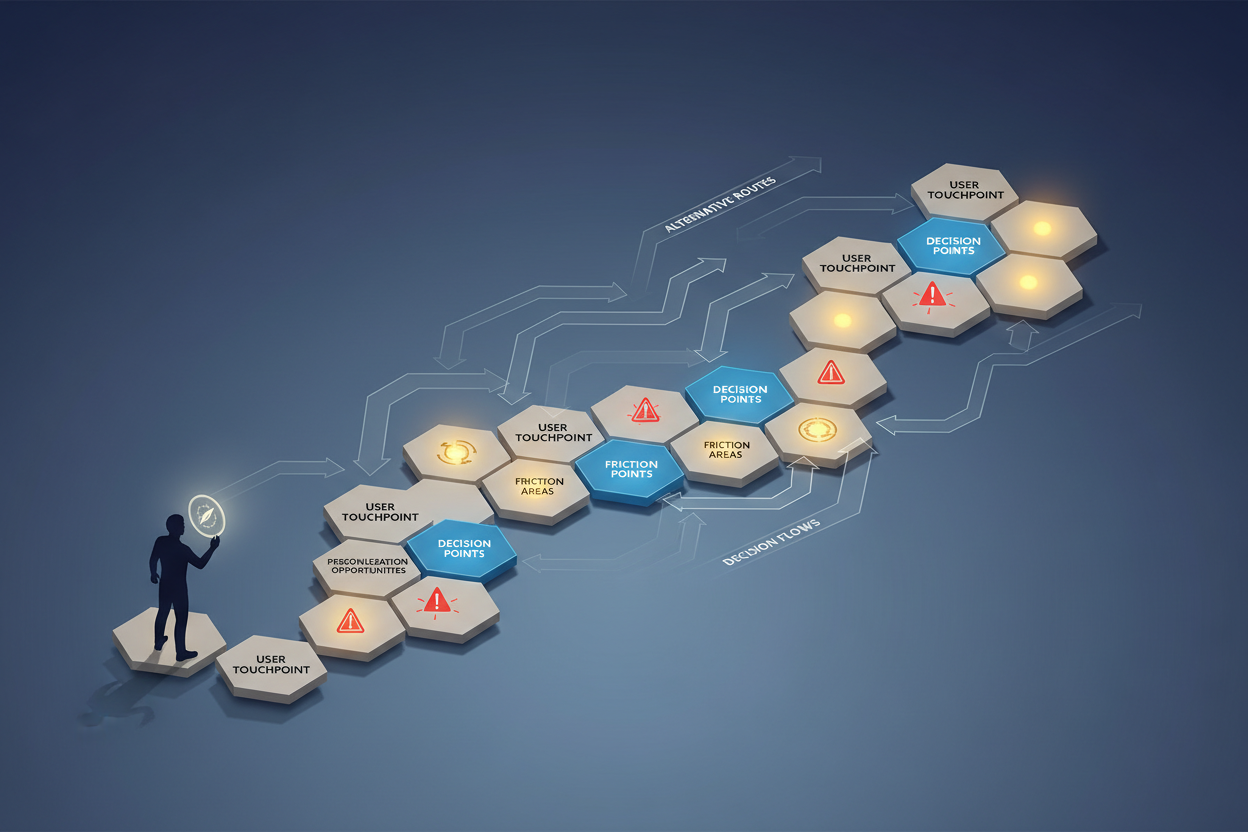
Start with User Journey Mapping: Before building any automation, thoroughly map out your ideal user journey. Identify key decision points, potential friction areas, and opportunities for personalization. This upfront planning prevents you from automating broken processes and ensures your automation actually improves the user experience.
Implement Progressive Disclosure: Don’t overwhelm users with everything at once. Use automation to gradually introduce features and concepts as users demonstrate readiness. This might mean unlocking advanced tutorials only after users complete basic tasks, or revealing new features based on usage patterns.
Build in Feedback Loops: Your automation should include mechanisms for collecting user feedback and behavioral data. Set up automated surveys, track completion rates at each step, and monitor where users drop off. This data becomes invaluable for continuous optimization.
Plan for Edge Cases: While no-code tools are powerful, they can struggle with complex logic and edge cases. Design your workflows with fallback options and manual intervention points for situations that don’t fit standard patterns.
Test Extensively: Just because you didn’t write code doesn’t mean you can skip testing. Walk through every possible user path, test with different user types, and verify that all integrations work correctly. Consider setting up automated testing workflows to catch issues before they affect real users.
Common Pitfalls to Avoid
Even with the best intentions, no-code automation projects can go wrong. Here are the most common mistakes I see teams make, along with strategies to avoid them:
Over-Automation Syndrome: Just because you can automate something doesn’t mean you should. I’ve seen teams automate every tiny interaction, creating robotic experiences that feel impersonal and overwhelming. The goal is to enhance human connection, not replace it entirely. Keep some human touchpoints, especially for high-value users or complex situations.
Ignoring Mobile Experience: Many no-code tools are designed with desktop experiences in mind, but a significant portion of your users will onboard via mobile devices. Always test your automated sequences on various devices and screen sizes to ensure a consistent experience.
Lack of Integration Planning: No-code tools are powerful, but they’re only as good as their integrations with your existing systems. Before committing to a platform, thoroughly evaluate how it will connect with your CRM, analytics tools, customer support system, and other critical applications.
Neglecting Performance Monitoring: Set up proper analytics and monitoring from day one. Track not just completion rates, but also time-to-completion, user satisfaction scores, and long-term retention metrics. Without this data, you’re flying blind when it comes to optimization.
The Future of No-Code Automation in User Experience
As we look toward the future, the role of no-code automation in user onboarding will only become more central to business success. Artificial intelligence is already being integrated into no-code platforms, enabling even more sophisticated personalization and predictive automation.
We’re moving toward a world where onboarding experiences will adapt in real-time based on user behavior, preferences, and even external factors like time of day or device type. Machine learning algorithms will continuously optimize workflows without human intervention, while still maintaining the accessibility and control that make no-code solutions so appealing.
The convergence of no-code automation with emerging technologies like voice interfaces, augmented reality, and IoT devices will create entirely new possibilities for user onboarding. Imagine voice-guided setup processes or AR tutorials that overlay instructions directly onto user interfaces.
For businesses, this evolution means that creating world-class onboarding experiences will become increasingly democratized. Small teams will be able to compete with enterprise-level user experiences, and the speed of innovation will continue to accelerate.
Conclusion
No-code automation has fundamentally changed the game for user onboarding, transforming it from a development bottleneck into a strategic advantage that any team can leverage. The ability to create personalized, responsive, and continuously optimized onboarding experiences without coding expertise has leveled the playing field for businesses of all sizes.
The companies that will thrive in the coming years are those that embrace this democratization of technology and use it to create genuinely helpful, human-centered onboarding experiences. Yes, the tools are powerful, but remember that behind every automated sequence is a real person trying to solve a real problem with your product.
Whether you’re just starting to explore no-code automation or looking to optimize existing workflows, the key is to start with your users’ needs and work backward to the technology. Focus on creating value at every touchpoint, measure relentlessly, and iterate based on real user feedback. The future of user onboarding is automated, personalized, and more human than ever – and it’s available to you today, no coding required! 🎯
Frequently Asked Questions
Q: Do I need technical skills to implement no-code automation for onboarding?
A: Not at all! That’s the beauty of no-code platforms. While some technical understanding can be helpful, most no-code tools are designed for non-technical users. You’ll need logical thinking and attention to detail, but you won’t need to write code. Many platforms offer extensive tutorials and templates to get you started.
Q: How much does it cost to implement no-code onboarding automation?
A: Costs vary widely depending on your needs and chosen platforms. Many no-code tools offer free tiers that are sufficient for small businesses or testing purposes. Paid plans typically range from $20-200+ per month, which is often much less expensive than hiring developers to build custom solutions.
Q: Can no-code automation handle complex onboarding scenarios?
A: Modern no-code platforms can handle surprisingly complex scenarios through conditional logic, multi-step workflows, and sophisticated integrations. However, extremely complex business logic might still require custom development. The key is to start with no-code solutions and only move to custom development when absolutely necessary.
Q: How do I measure the success of my automated onboarding process?
A: Focus on metrics like completion rates, time-to-value, user activation rates, and long-term retention. Most no-code platforms provide built-in analytics, and you can supplement these with tools like Google Analytics or customer success platforms. Set up tracking from the beginning to establish baseline metrics.
Q: What happens if a no-code platform shuts down or changes significantly?
A: This is a valid concern, which is why it’s important to choose established platforms with strong track records. Many no-code tools offer data export options, and the visual nature of these workflows often makes them easier to recreate on different platforms compared to custom code. Consider this when selecting tools and have backup plans for critical workflows.
Q: Can no-code automation integrate with my existing tech stack?
A: Most modern no-code platforms offer extensive integration capabilities through APIs, webhooks, and native connectors. Popular business tools like Salesforce, HubSpot, Slack, and Google Workspace typically have strong integration support. Always verify integration capabilities before committing to a platform, and consider using integration platforms like Zapier to bridge any gaps.
Click Here For More Details
 Restream.io 1 Month Pro Plan – Private Activation on Your Email
